
Replacing GitHub Actions with a Tiny Desktop

Earlier this year I launched Scapedle, a daily word guessing game themed around the popular video game Old School RuneScape. If you are interested you can read all about it here.
A key element to this project involves rotating a daily word every 24 hours - to address this functionality an automated rebuild and subsequent deploy would need to occur every day.
Originally I administered this process through GitHub Actions using the public free runners, initially this was fairly reliable. However as I came to learn there were a few drawbacks to this approach.
- Waiting in a queue - GitHub free runners are a shared resource, this means on particularly busy days you could be waiting up to 8 hours to run your actions.
- GitHub has off days - If you’ve been paying attention, you’ll know the AI boom has GitHub, like everyone else, struggling to keep up with scale. You can check out the “real status page” for some metrics.
- Nothing is free forever - Free services are great, but anything that could start charging at scale or be deprecated deserves a plan B.
This write-up covers moving the build and deploy process off GitHub infrastructure onto my home lab (minus hosting the website itself).
Current State
Section titled “Current State”The daily-deploy.yml file handled the scheduled build and deployment of the application. The below snippet is only a high level summary but gives you the idea of the steps involved.
name: Deploy OSRS Guessing Gameon: schedule: - cron: '30 13 * * *' push: branches: ['main']jobs: build_and_deploy: runs-on: ubuntu-latest steps: - name: Checkout - name: Install pnpm - name: Setup Node - name: Install dependencies - name: Build - name: Setup Pages - name: Upload artifact - name: Deploy to GitHub PagesThese steps used pre-built GitHub Actions, providing less overhead in managing infrastructure and tooling - in turn you give up some of the freedoms that come with owning the “supply chain”.
I also want to point out the schedule on my cron is in UTC 30 13 * * * which is 23:30 AEST (Australian Eastern Standard Time), this was updated multiple times to try and predict when I would get a free runner at precisely midnight with no success. Some days it was 10 minutes off, most of the time it was an hour to eight hours late.
Notifications were managed via daily-notification.yml (see below):
name: Daily Notifications
on:    workflow_run:        workflows: ['Deploy OSRS Guessing Game']        types: [completed]jobs:    on-success:        runs-on: ubuntu-latest        # conditional        steps:            - name: Send Success Message              run: |                  curl -H "Content-Type: application/json" \                       -d '{                         "username": "Scapedle Announcer",                         "content": "🗓️ **A new daily Scapedle is live!** \nCheck it out here: https://scapedle.com"                       }' \                       ${{ secrets.DAILY_WEBHOOK }}
This curls content to a Discord webhook sending a message in relevant channels. Looking back, this should have been integrated into the daily-deploy.yml. Calling a new resource just to curl is not ideal. My approach also had a “bug” where a non-daily rebuild would trigger the same notification.
This is something I will be addressing in the new approach.
Home Lab
Section titled “Home Lab”If you have trepidations around tinkering with a home lab, I’m here to tell you it’s not that deep. I too once sat on the outskirts occasionally peeking in and then one day I finally picked up that old tiny desktop and gave it some new life.

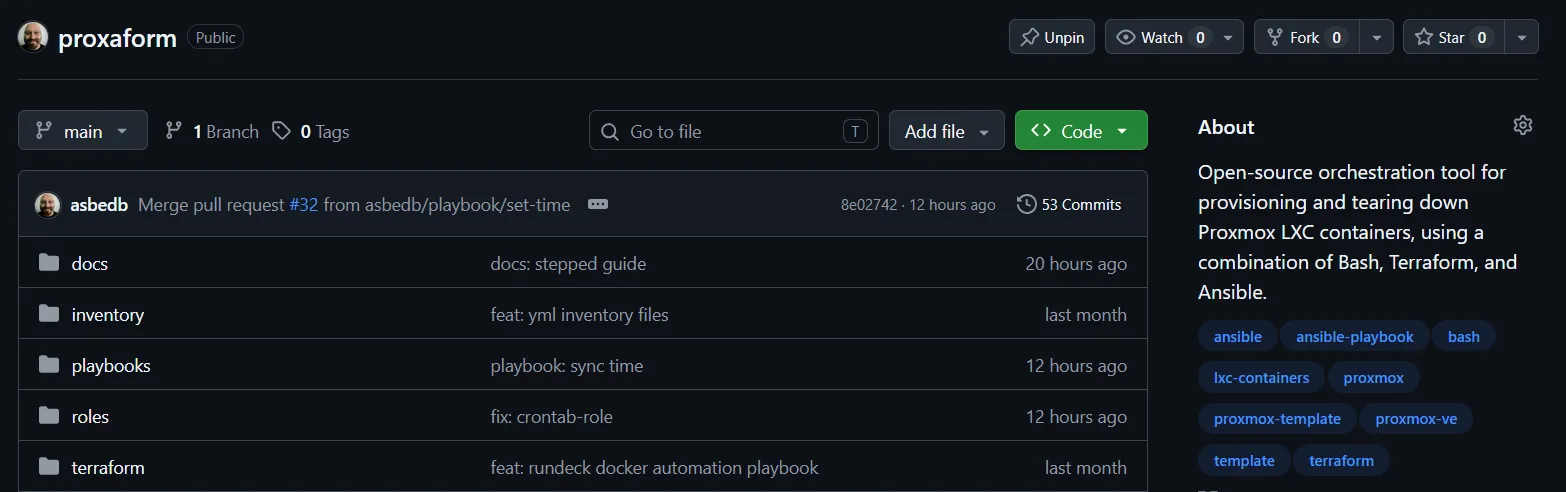
Currently “the hulk” is powering a network-wide adblocker, a Docker host and a cronjob orchestrator, and it’s barely breaks a sweat doing it! It’s also playing a leading role in helping develop me develop Proxaform, an open-source orchestration tool for provisioning and tearing down Proxmox LXC container.
Before getting into my setup, it’s worth noting - the outlined technical foundation shouldn’t really change much, however the implementation can wildly vary depending on your application, home lab and stages in your build and deployment pipeline.
I decided to containerise my build and notification tasks into a single Docker image, scheduled to run every 24 hours. Bundling notifications into this process also addresses the bug noted earlier and streamlines the tasks into a single container.
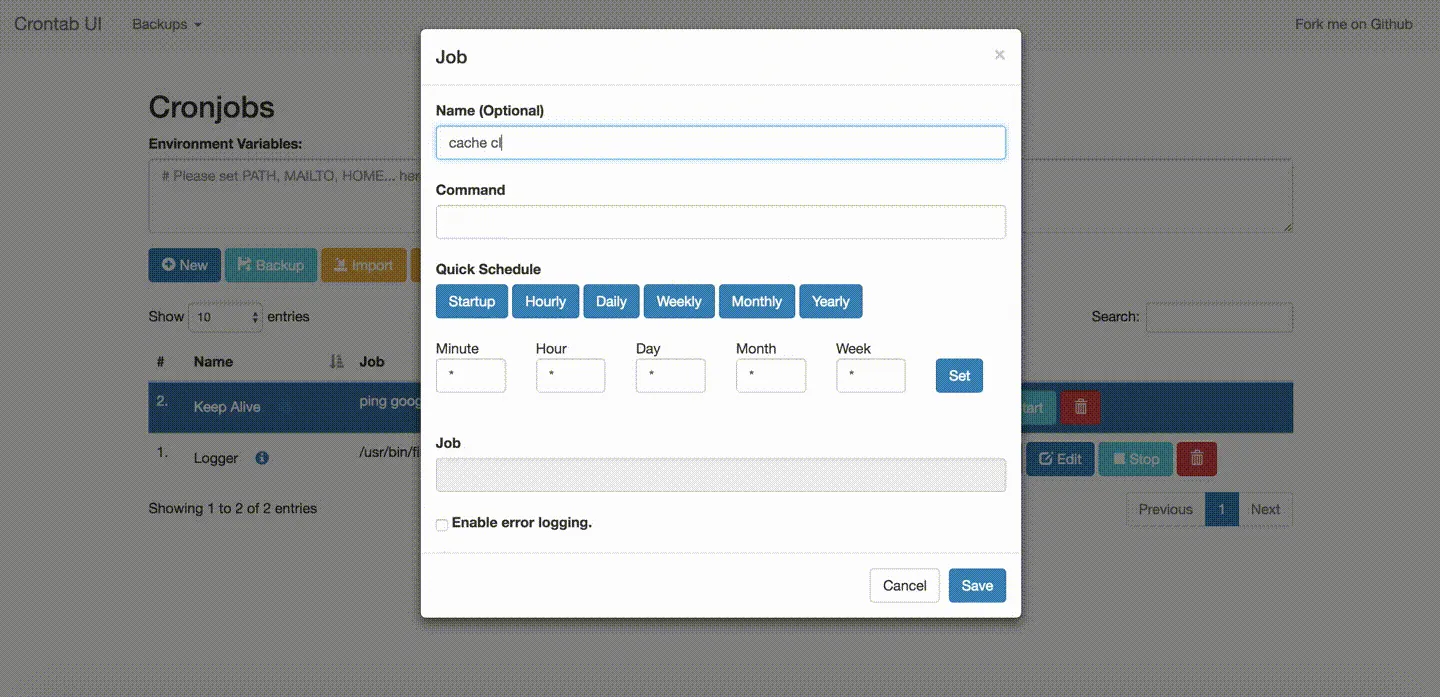
As I have other applications that benefit from having a Docker runner and scheduled cronjobs, I split the tasks into two VMs. Additionally, I found Crontab-UI, a simple Node.js web interface for managing cronjobs on the host server.
| VM Name | Role & Services |
|---|---|
docker_node | Runs Docker; executes jobs dispatched from Crontab-UI |
crontab_node | Runs Crontab-UI server; schedules, manages and dispatches jobs |
And of course the full Ansible playbook to set up a similar workflow is also released as part of my Proxaform project - you can find more technical details and the code here.
Note: The above approach can just as easily be replicated on a local machine using Docker (or Docker Desktop on Windows). If you are curious just give it a go!
A new daily deployer
Section titled “A new daily deployer”The previous section laid out the foundation, now I needed it to work for my specific application. Below is a high level diagram of how all the pieces fit together.
┌──────────────────────── Proxmox ────────────────────────┐│ ││ ┌─────────────────────┐ ┌─────────────────────┐ ││ │ VM : crontab_node │ │ VM : docker_node │ ││ │ │ SSH │ │ ││ │ Crontab-UI │ ─────► │ Docker Engine │ ││ │ schedules jobs │ jobs │ Fetch/Build/Notify │ ││ └─────────────────────┘ └──────────┬──────────┘ ││ │ │└────────────────────────────────────────────┼────────────┘ │ Push to gh-pages branch ▼ ┌─────────────────────┐ │ GitHub Pages │ │ scapedle.com │ └─────────────────────┘Dockerfile
Section titled “Dockerfile”The easiest place to start was the Docker image. I wanted a small footprint ensuring a quick build and shut down. Being my first time seriously writing a Dockerfile, the syntax and file structure were very easy to pick up, I don’t think it’s far-fetched to compare it to a yml file with stepped instructions (but for containers).
The below Dockerfile goes through the following steps:
- Latest version of Node.js Alpine Linux image from Docker Hub - Alpine was chosen for being small in used disk size, and memory usage making it perfect for an ephemeral workload.
- Ensures the image has the right tools - bash, git, certs, curl.
- Sets the package manager to
pnpm. - Ensures the directories used as part of the build are created and available.
- Makes the deploy script executable and gives the
nodeuser ownership of the working directories. - Ensures the scripts are running as a non-root user called
node. - Enables
CImode keepingpnpmnon-interactive. - Executes deploy.sh with the daily flag.
FROM node:current-alpine3.23
RUN apk add --no-cache bash git ca-certificates curl util-linux tzdataRUN npm install -g pnpm@11.1.2RUN mkdir -p /work /state /pnpm-store && chown node:node /work /state /pnpm-storeCOPY --chmod=755 scripts/deploy.sh /usr/local/bin/deploy
USER nodeWORKDIR /workENV TZ=Australia/Sydney \  CI=true
ENTRYPOINT ["deploy"]CMD ["daily"]
Shell Script
Section titled “Shell Script”deploy.sh now does the heavy lifting - you can review the script in full here. In summary the script will:
- Check if the build action comes with a daily flag as this is how our “New Daily Word” notification is now triggered as opposed to a new build out of cycle.
- Manage our authentication (I will cover secrets shortly) to GitHub.
- Build our application taking into account already running builds and gracefully failing if a build is already in flight.
- Set a commit message with each build taking note of the date and time.
- Fire off relevant webhook notifications depending on the type of build triggered.
Secrets
Section titled “Secrets”The final bridge was managing secrets and authentication - for this, a trusty .env file has now been employed and referenced in the shell script (and .gitignored).
See an example below:
# Fine-grained PAT scoped to this repo only, with "Contents: Read and write".GH_TOKEN=GH_REPO=asbedb/Scapedle
# Optional overrides# SOURCE_BRANCH=main# DEPLOY_BRANCH=gh-pages# SITE_URL=https://scapedle.com# GIT_AUTHOR_NAME=Scapedle Deploy# GIT_AUTHOR_EMAIL=deploy@scapedle.com
# Discord webhooks (leave blank to disable)DISCORD_WEBHOOK=DAILY_WEBHOOK=
The variables and comments should make it fairly self-explanatory. I will stress it’s important to apply the principle of least privilege to the access token for the repository. For this one it’s limited to the project and Read/Write only.
Cronjob
Section titled “Cronjob”As I said before my cronjob might wildly vary from how you may want to approach this - but to keep this piece consistent I will share my setup. Keep in mind my workflow includes SSH’ing into the Docker host before executing the command.
I’ll also plug a small playbook I wrote to set the time zone across my Proxmox cluster, along with some common roles for keeping clocks in sync via NTP. If you’re doing the same, make sure your VM’s time zone is set, so @daily fires at local midnight.
@daily ssh -i /var/lib/<app>/.ssh/<key> -o BatchMode=yes -o StrictHostKeyChecking=yes -o UserKnownHostsFile=/var/lib/<app>/.ssh/known_hosts docker-runner@<IP> 'set -e; REPO=/opt/scapedle; [ -d "$REPO/.git" ] || git clone -q https://github.com/asbedb/Scapedle.git "$REPO"; cd "$REPO"; git fetch -q origin; git reset -q --hard origin/main; docker compose run --rm -T --build builder daily'If you wanted to just do it directly on the host you could also elect to use a cron runner that supports time zones like CRON_TZ and do a command like this. The second cron is an example of checking every five minutes for new commits and rebuilding without sending the daily notification.
CRON_TZ=Australia/Sydney1 0 * * * cd /opt/scapedle && docker compose run --rm builder daily >> /var/log/scapedle.log 2>&1*/5 * * * * cd /opt/scapedle && docker compose run --rm builder if-changed >> /var/log/scapedle.log 2>&1In case others decide to fork and make their own “wordles” and want to adopt something similar I’ve included scheduling options in the Scapedle repo (including making the daily deployer a systemd service) - as mentioned, same foundation, different ways of doing things.
Conclusion
Section titled “Conclusion”With all the pieces in place, changes staged and merged I nervously waited for my first scheduled job at midnight.
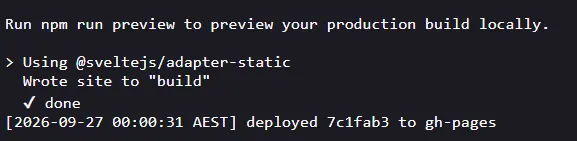
Seeing the Discord notifications pop up and a new daily word brought with it relief. Another fun weekend tech project for the (desktop on the) shelf 🙃.